Practical cloud-based CAD for everyday use
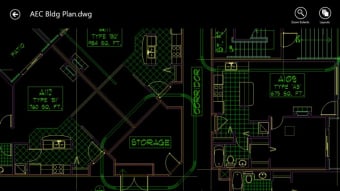
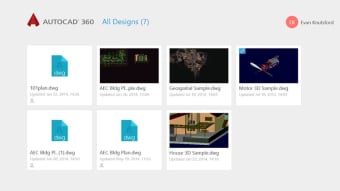
AutoCAD 360 provides reliable 2D drafting and documentation tools directly through a browser or mobile device. It allows users to open, edit, and save DWG files without installing full desktop software, supporting flexible workflows for professionals. Its cloud integration keeps drawings updated across devices, helping teams and individuals collaborate efficiently while maintaining project consistency.
Top Recommended Alternative
The platform brings convenience to users who need light editing and review capabilities. With layer management, annotation, and dimensioning tools, AutoCAD 360 offers practical CAD access for quick adjustments or feedback, ensuring essential control and workflow continuity in various professional environments.
Web-based drafting and collaboration made simple
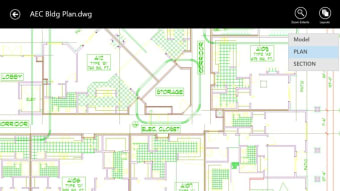
AutoCAD 360 supports drafting commands such as drawing lines and shapes, editing geometry, managing layers, inserting blocks, and adding dimensions. It handles external references and viewing of 2D/3D DWG files, while editing focuses on 2D design and markup. Collaboration tools like file sharing, Trace feedback, and cloud storage access streamline teamwork across devices, making it ideal for fieldwork or remote project oversight.
The software delivers consistent performance, enabling efficient online editing without demanding heavy system resources. Alternatives such as LibreCAD or DraftSight offer lighter 2D functionality. Still, this platform’s cloud accessibility and browser-based workflow provide a clear advantage for making quick edits, conducting remote design reviews, and facilitating continuous team collaboration. Its combination of reliability, portability, and practical tools ensures users can manage projects effectively across multiple devices and locations
While not as feature-rich as full desktop AutoCAD, it provides dependable tools for essential CAD tasks. Its user-friendly interface, cloud syncing, and accessible collaboration support make it valuable for professionals requiring portable drafting, quick review, and efficient markup capabilities. The software allows users to work across devices without installing heavy applications, ensuring practical access to drawings and maintaining productivity in flexible, on-the-go environments.
Dependable online CAD for professionals
AutoCAD 360 provides essential CAD functionality with full DWG support, cloud storage, and remote access. Its lightweight design suits mobile work, collaboration, and simple edits, offering a practical alternative to full desktop solutions. For users prioritizing portability, speed, and efficient online drafting, it ensures consistent workflow continuity, allowing professionals to manage projects effectively in a flexible, browser-based environment without sacrificing accessibility or reliability.